Fake tech‑support scams are one of the oldest and most profitable digital fraud categories. They don’t specifically target authors the way publishing‑marketing scams do, but when they hit a writer, the damage can be far worse than a simple “computer cleanup” fee. A home office is both the creative archive and the business. That makes authors uniquely exposed when a scammer gains access to the machine that holds everything.
This post breaks down how modern tech‑support scams work, why authors should care, and the practical steps you can take to protect your writing life.
Why This Matters
Tech‑support scams are not a niche annoyance. The FBI reported U.S. losses around $1.4–$1.5 billion in 2024, with some 2025 summaries estimating even higher. Older adults are hit hardest, but working‑age people — including writers — lose large sums once bank access or remote‑access tools are involved.
And the front door is getting smoother. AI voice clones now pose as Apple Support. Fake “IT helpdesk” pop‑ups mimic Microsoft Teams. Search‑ad hijacks place fraudulent phone numbers above legitimate support pages. The core ask hasn’t changed: access plus money.
Authors aren’t singled out as a special target, but when a scammer gets into an author’s device, the fallout can be devastating.
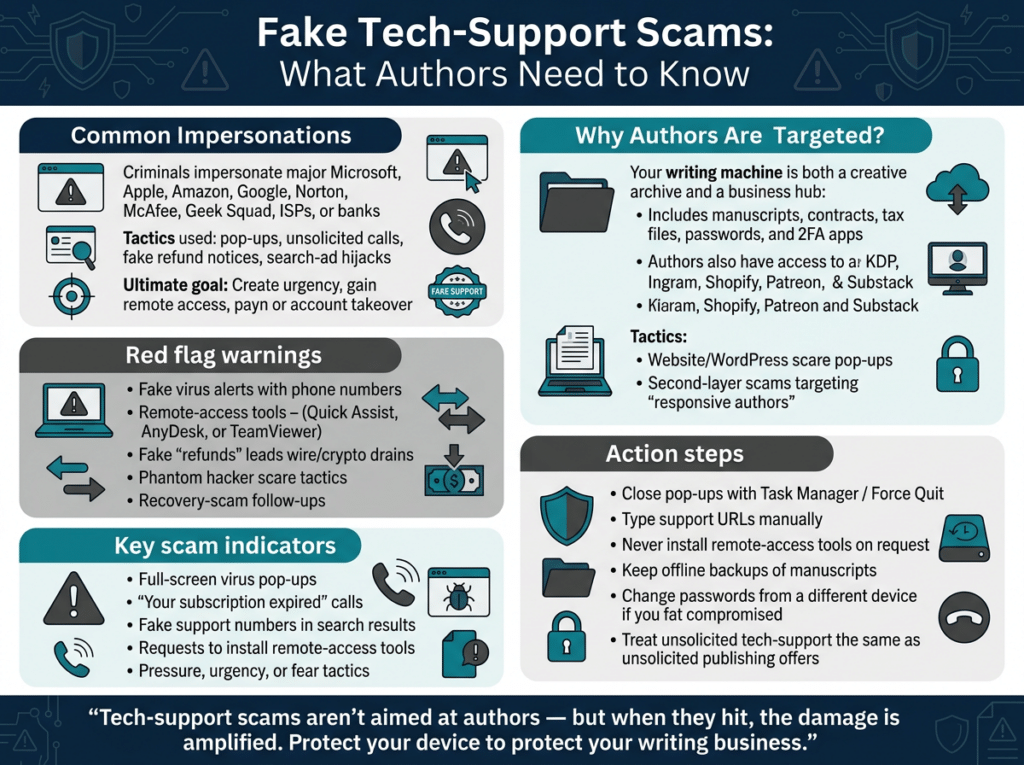
How Fake Tech‑Support Scams Usually Work
Fraudsters impersonate trusted brands:
- Microsoft
- Apple
- Amazon
- Norton / McAfee
- Geek Squad
- Your ISP
- “Your bank’s security team”
Their openers are predictable:
- Fullscreen browser popups claiming a virus, license expiration, or “Windows Defender alert,” complete with a phone number.
- Unsolicited calls or texts about a refund, subscription renewal, or compromised account.
- Search‑ad hijacks: you look up real support, but a fake number appears on a lookalike page.
- Fake security‑scan sites urging you to uninstall antivirus and call a number.
Once you engage, the script is nearly universal:
- Urgency (“Your computer is compromised right now.”)
- Remote‑access software (Quick Assist, AnyDesk, TeamViewer).
- Payment for cleanup, multi‑year protection, or a “refund” that is actually a wire or crypto drain.
- Phantom hacker twist: they show fake “hackers” in your accounts and tell you to move money to a “safe” account they control.
- Recovery scam: a second crew calls later offering to get your money back.
Legitimate companies do not cold‑call you about viruses, demand remote access from a pop‑up, or ask for passcodes or 2FA codes to “unlock” support.
Impact on Authors Specifically
There is no documented wave of tech‑support scams aimed only at writers. The author‑specific boom is happening in a different arena: AI‑personalized publishing scams posing as agents, publishers, book clubs, or publicists.
But when tech‑support fraud does hit an author, the consequences are amplified.
- Remote access to the writing machine
Your computer often contains:
- Drafts and manuscripts
- Contracts and tax records
- Email accounts
- Password managers
- 2FA apps
- Cloud storage
- Royalty dashboards
Once a scammer is inside, they can steal files, install persistence, or drain linked bank/PayPal/Stripe accounts.
- Platform lockout
Many authors rely on:
- Amazon KDP
- IngramSpark
- Shopify
- Patreon
- Substack
- WordPress
- Ads dashboards
A hijacked Microsoft/Google/Apple ID can lock you out of everything. Some scammers even claim they’re “fixing your Amazon seller account” — a pitch that can lead directly to account takeover.
- Website and storefront compromise
A pop‑up on your own site or a “Your WordPress is hacked — call this number” scare can trick authors into handing over hosting credentials. That can lead to:
- Defaced websites
- Malware disguised as “free downloads”
- Stolen customer data
- Loss of reader trust
- Second‑scam layering
After the first loss, “recovery specialists” call offering to get your money back. Victims are often added to “responsive author” lists used by publishing scammers.
The risk isn’t that authors are special targets — it’s that your creative and business life lives on the same device.
Practical Defenses for Authors
These steps protect both your writing and your income.
- Close the popup — don’t call the number
Use Task Manager (Windows) or Force Quit (Mac) to shut the browser.
- Look up to support yourself
Type the company URL manually or use the in‑app Help menu. Never trust a phone number shown in a pop‑up.
- Never install remote‑access tools at a stranger’s request
If someone wants Quick Assist, AnyDesk, or TeamViewer, the call is a scam.
- Separate your writing/admin machine
If possible, keep your writing computer distinct from everyday browsing computer . Maintain offsite backups of manuscripts that a remote session cannot wipe.
- If you have already given access
- Disconnect from the internet
- Change passwords from a different device
- Enable 2FA
- Contact your bank immediately
- Report to IC3.gov and the FTC
- Treat unsolicited tech‑support the same way you treat unsolicited publishing offers
If someone contacts you out of the blue about a “problem with your computer / KDP account / website,” hang up and verify through a channel you initiate.
Final Takeaway
Tech‑support scams aren’t new — but their reach, sophistication, and financial impact are growing fast. Authors aren’t uniquely targeted, but they are uniquely vulnerable because the writing machine is the business machine. Protecting your device protects your manuscripts, your platforms, your income, and your readers.
Staying informed is your best defense. Scammers lose when authors stay alert.

Rae Stonehouse is a Canadian author, publisher, and advocate committed to exposing publishing scams and supporting writers through education and community. As the creator of Authors Against Scammers, Rae provides clear, practical guidance to help writers protect their work, their money, and their peace of mind. His books and resources reflect a lifelong dedication to empowering others through knowledge, clarity, and real‑world experience.